What We're Building
A transparent look at features actively in development across the Verdo platform. These are real capabilities being built right now — some in preview, some coming soon.
Verdo POS Terminal Development Progress
A complete point-of-sale system with product catalog, flexible payment processing, and promotional logic.
The Verdo POS Terminal is a full-featured point-of-sale system designed for retail operations. It includes an intuitive catalog browser, intelligent discount and promotional engine, split payment support, and comprehensive terminal management. The system is touch-optimized for tablets and kiosks, with secure employee access control and real-time inventory management.
Product Catalog Management
Organize products by category, set pricing, assign discounts, and configure promotional rules like Buy-One-Get-One and bundle deals.
Advanced Promotional Engine
Support multiple promo types: BOGO free/discounted, bundle discounts, spend thresholds, and percentage-off rules — evaluated at checkout.
Flexible Payment Methods
Accept card, cash, contactless, and gift cards. Split payments across multiple methods with real-time balance calculation.
Employee & Manager Access Control
Role-based permissions for sensitive operations: refunds, discounts, price overrides, and shift management.
Custom Items & Overrides
Add custom items with notes, override prices, apply manual discounts with approval tracking, and manage void/refund workflows.
Terminal Configuration & Deployment
Configure accepted payment methods, approval thresholds, terminal display settings, and deploy changes across multiple devices.
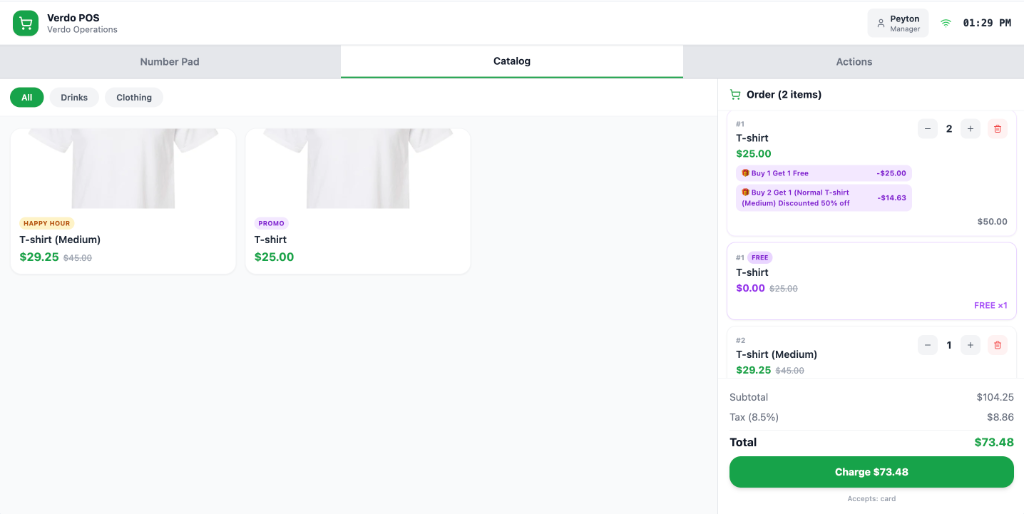
Main POS Interface — responsive tablet layout with catalog, cart, and action panels
Verdo Workforce
A complete employee operating portal — built for teams, managers, and daily operations.
Verdo Workforce is an integrated workforce management platform that gives businesses a dedicated digital hub for managing employees, shifts, reports, tasks, and internal communications. Managers get full operational control while employees get a clean, role-based portal to handle their daily responsibilities — all connected to the same Workforce Domain.
Employee & Department Management
Add employees, organize departments, assign roles (Owner, Manager, Employee), and manage your entire team from one dashboard with a built-in member directory.
Workforce Reports & Forms
Create custom reports with multiple question types — short text, yes/no, rating, multiple choice, checkbox — assign them to employees or departments, and review submissions.
Scheduling & Shift Management
Build a weekly shift calendar, assign employees to shifts, add role labels and notes, and navigate across weeks. Clock-in/out support coming soon.
Internal Messaging
Real-time internal messaging between employees and managers within the same Workforce Domain, with conversation threads and message history.
POS Integration
Manage point-of-sale product catalogs, configure discounts and promotional rules, and handle transactions — directly from the Workforce portal.
Training & Analytics
Create and assign training modules with completion tracking, progress bars, and certification status. Analytics give managers insight into team performance.
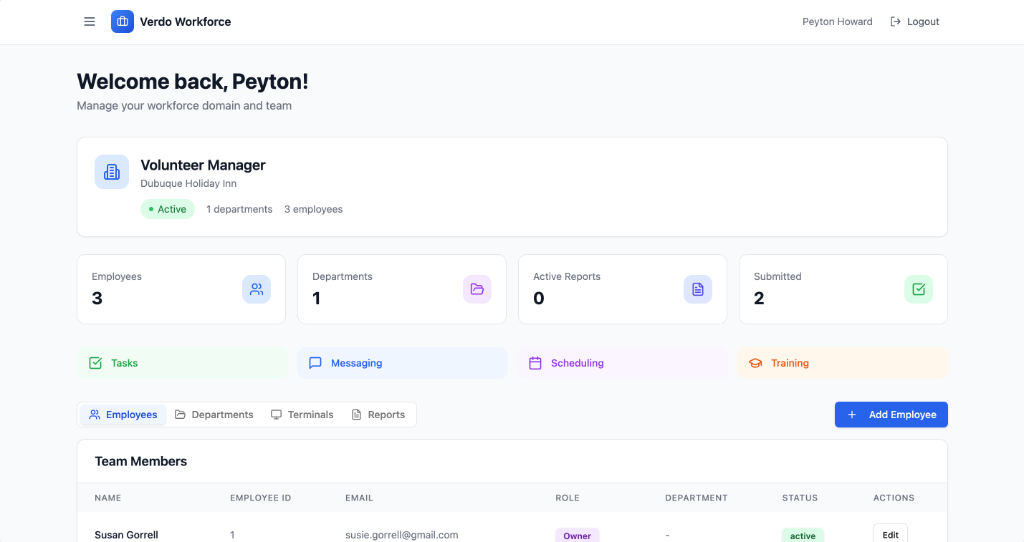
Manager Dashboard — team overview with employee stats, departments, and quick navigation
Survey Editor
Build, customize, and deploy customer surveys — directly from the Organization Admin Portal.
The Survey Editor is a fully visual survey-building tool available inside the Verdo Organization Admin Portal. Clients can create multi-step surveys with a wide variety of question types, configure branching logic, customize the terminal appearance, and test the experience live — all without leaving their portal.
10 Question Types
Text, Rating, Multiple Choice, Multi-Select, Yes/No, NPS Score, Dropdown, Slider, File Upload, and Section Headers.
Conditional Logic
Show or hide questions based on previous answers. Build branching flows that adapt to each respondent.
Full VFX & Appearance Control
Customize welcome screen branding, background images, overlays, transitions, progress styles, accent colors, and the outro thank-you animation theme.
Per-Question Settings
Mark questions as required, shuffle answer options, set min/max values for sliders, and add helper text per question.
Test Run Mode
Launch a full-screen live preview of the survey exactly as customers will see it on the terminal — directly from the editor.
Stage & Deploy
Changes are staged and deployed to terminals on demand, keeping live surveys uninterrupted during editing.
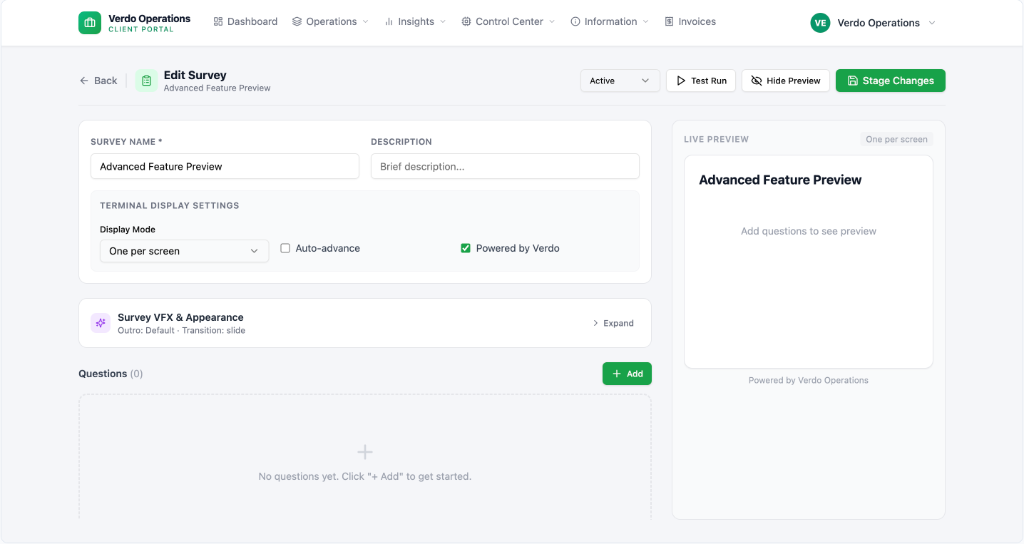
Survey Editor — main editor view with live preview panel
More Features Coming Soon
Additional features are in early development and will be listed here as they progress. Check back regularly for updates.
Interested in early access?
Reach out to learn more about features in preview.